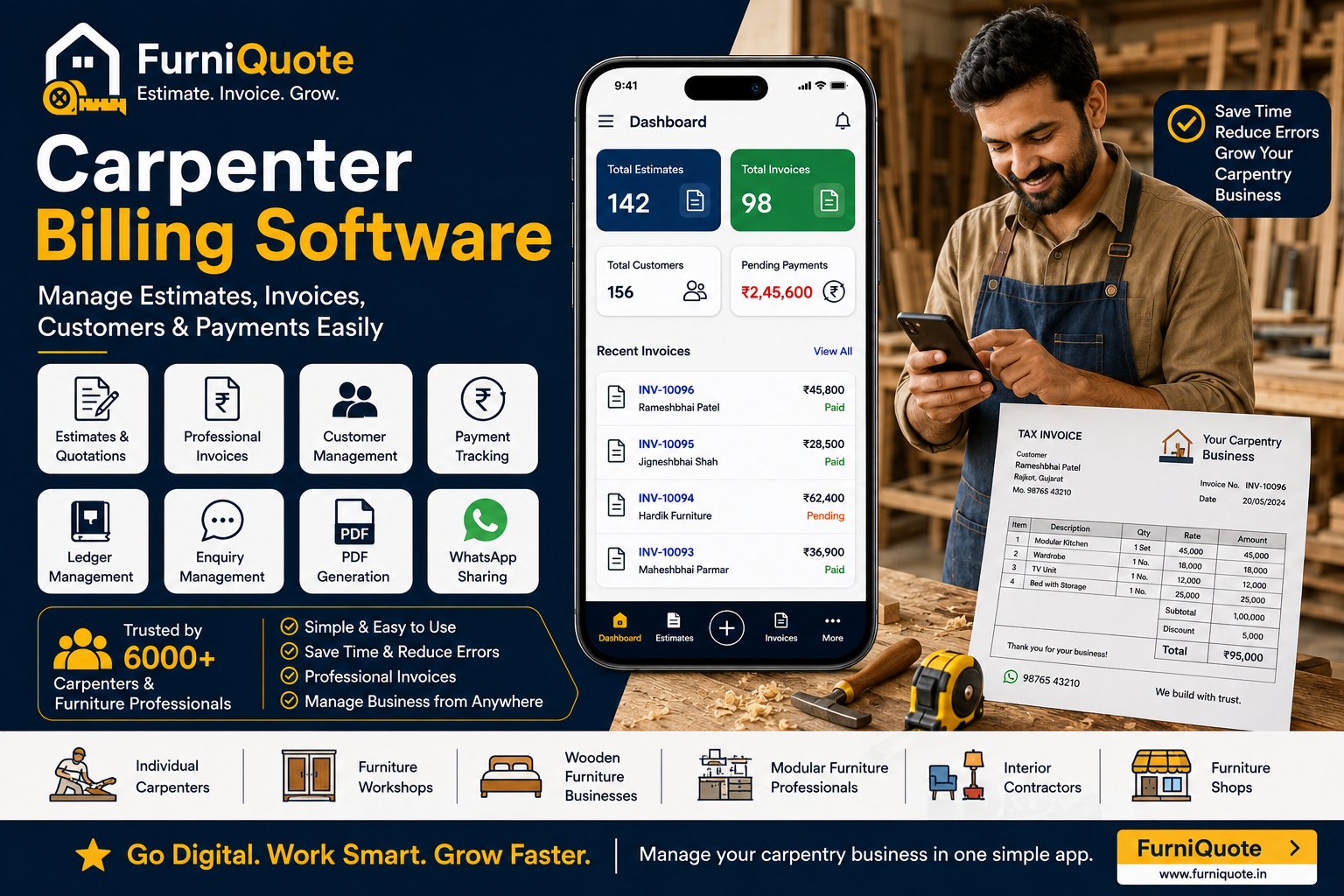
Running a carpentry business involves much more than cutting wood and making furniture. Carpenters regularly manage customer enquiries, measurements, material costs, quotations, estimates, invoices, advance payments and pending balances.
When all of this is handled using notebooks, calculators and WhatsApp messages, it can become difficult to keep everything organized.
Carpenter billing software helps simplify these daily activities by bringing estimates, invoices, customers and payments into one digital system.
For individual carpenters, furniture workshops, wooden furniture businesses, modular furniture professionals and interior contractors, digital billing software can save time and make business management easier.
What Is Carpenter Billing Software?
Carpenter billing software is a digital tool designed specifically to help carpenters and furniture professionals manage their business activities.
Instead of manually preparing quotations and invoices, carpenters can use software to manage:
Customer details
Furniture estimates
Quotations
Invoices
Product prices
Material rates
Customer payments
Pending payments
Ledger records
Enquiries
PDF documents
WhatsApp sharing
The best carpenter billing software should be simple, mobile-friendly and suitable for both individual carpenters and growing furniture businesses.
Why Do Carpenters Need Billing Software?
Many carpenters still manage their businesses with paper notebooks and calculators. This can create problems as the number of customers and projects increases.
1. Manual Calculations Take Time
A carpenter may need to calculate quantities, measurements, rates and totals for every project.
Repeated manual calculations can consume time and increase the possibility of errors.
Billing software can calculate totals automatically and make quotation preparation faster.
2. Customer Payments Are Difficult to Track
Furniture and carpentry projects often involve advance payments and multiple installments.
Without proper records, it can be difficult to remember:
How much the customer paid
When the payment was made
How much is pending
Which customer needs a payment follow-up
Digital payment tracking makes this information easier to manage.
3. Quotations Take Too Long to Prepare
Customers often ask for a quotation before confirming an order.
Preparing every quotation manually can take significant time.
With carpenter billing software, professional estimates can be created quickly and shared digitally.
4. Customer Records Get Lost
Important customer details can be spread across notebooks, phone contacts and WhatsApp conversations.
A digital customer management system keeps important information organized in one place.
5. Handwritten Bills Look Less Professional
A professional quotation or invoice can create greater confidence when dealing with customers.
Carpenter billing software can generate clean digital documents that can be shared directly with customers.
Key Features of Carpenter Billing Software
When choosing billing software for a carpentry business, focus on features that solve everyday problems.
Carpenter Estimate & Quotation
Create estimates for custom furniture and carpentry projects.
For example:
Wardrobes
Beds
Modular kitchens
TV units
Cabinets
Tables
Doors
Office furniture
Wooden furniture
Custom furniture
The estimate can be shared with the customer as a digital document.
Professional Invoice Generation
Generate invoices quickly after completing an order or project.
Digital invoice generation eliminates the need to manually create every bill.
Customer Management
Store customer details digitally and access previous estimates, invoices and payment records when needed.
This is particularly useful for carpenters who manage multiple projects simultaneously.
Payment Tracking
Record customer payments and track pending balances.
For projects involving advance payments and installments, this can make financial tracking much easier.
Ledger Management
A digital ledger helps maintain customer transaction history and understand outstanding amounts.
Instead of searching through pages of a notebook, the carpenter can access transaction information digitally.
Enquiry Management
Not every customer enquiry becomes an immediate order.
Enquiry management helps carpenters record potential customers and follow up with them later.
PDF Generation
Generate professional estimates and invoices in PDF format.
PDF documents are easy to save and share with customers.
WhatsApp Sharing
WhatsApp is widely used by local businesses to communicate with customers.
A carpenter billing app that allows direct PDF sharing through WhatsApp can make communication faster.
Carpenter Billing Software vs. Notebook
| Traditional Method | Carpenter Billing Software |
|---|---|
| Paper notebook | Digital records |
| Manual calculations | Faster calculations |
| Handwritten quotation | Professional estimate |
| Separate payment notes | Digital payment tracking |
| Paper invoice | Digital invoice |
| Difficult customer search | Quick customer access |
| Manual follow-up | Enquiry management |
| Physical document sharing | PDF & WhatsApp sharing |
The biggest benefit is having important business information available in one organized system.
Who Can Use Carpenter Billing Software?
Individual Carpenters
Independent carpenters can create professional estimates and invoices without needing complicated accounting software.
Furniture Workshops
Small and medium furniture workshops can manage customers, quotations, invoices and payments digitally.
Wooden Furniture Businesses
Wooden furniture manufacturers can organize their customer and transaction records while creating professional estimates.
Modular Furniture Professionals
Professionals working on modular kitchens, wardrobes and custom furniture can manage project estimates and customer payments.
Interior Contractors
Interior contractors can use digital estimates, invoices and payment tracking for furniture-related projects.
How Carpenter Billing Software Saves Time
Imagine a customer asks for a wardrobe.
With a traditional process, the carpenter may:
Write customer details in a notebook.
Calculate measurements.
Calculate material and labour costs.
Prepare the quotation.
Take a photo of the quotation.
Send it through WhatsApp.
Record the advance payment.
Track the remaining amount manually.
With carpenter billing software, much of this workflow can be managed digitally.
This means the carpenter can spend less time on paperwork and more time focusing on production and customers.
How Billing Software Makes a Carpenter Business More Professional
A professional digital workflow can improve the customer experience.
Carpenters can:
Send quotations faster
Generate professional invoices
Keep customer information organized
Track advance payments
Monitor pending amounts
Share PDFs through WhatsApp
Maintain transaction history
Reduce repetitive calculations
These small improvements can make a significant difference as the business grows.
Why Choose Carpenter-Specific Software?
Generic billing applications may provide basic invoicing, but carpentry businesses often have different requirements.
Carpenters commonly deal with:
Custom furniture
Measurements
Product-based estimates
Material pricing
Labour costs
Advance payments
Multiple installments
Customer enquiries
Project-based work
Software designed around furniture and carpentry workflows can therefore be more practical than a generic billing solution.
FurniQuote: Simple Business Management for Carpenters
FurniQuote is designed for carpenters and furniture professionals who want to manage their business digitally.
With FurniQuote, professionals can manage:
Furniture estimates
Professional invoices
Customers
Payments
Ledger
Enquiries
PDF documents
WhatsApp sharing
Business portfolio
Computer login
Estimate copying
The goal is simple: help carpenters spend less time managing paperwork and more time growing their business.
What Should You Check Before Choosing Carpenter Billing Software?
Before selecting billing software, consider these questions:
Is it easy to use?
A carpenter should be able to start using the software without complicated training.
Can you create estimates?
Quotations are an important part of winning furniture and carpentry projects.
Can you create invoices?
The software should make professional billing quick and simple.
Can you track customer payments?
Advance and pending payment management is essential for project-based businesses.
Can you manage customers?
Customer records should be easy to access.
Can you generate PDFs?
Professional PDFs are useful for quotations and invoices.
Can you share documents through WhatsApp?
Fast communication can improve the customer experience.
Is it designed for carpenters and furniture businesses?
Industry-specific software can provide a more relevant workflow.
Conclusion
Carpenter billing software can help transform a traditional carpentry business into a more organized digital business.
From creating estimates and quotations to generating invoices, managing customers and tracking payments, the right software can reduce paperwork and save valuable time.
For individual carpenters, furniture workshops, wooden furniture manufacturers, modular furniture professionals and interior contractors, adopting digital business management can be an important step toward professional growth.
If you want a simple way to manage your estimates, invoices, customers and payments, explore FurniQuote and start managing your carpentry business digitally.
 Get on Play Store